Apple iMac (21.5-inch, 2017)
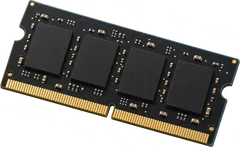
Yes. 2 slots, up to 16 GB seen working.
It takes DDR4-2133 laptop-size sticks (SO-DIMM). The slots sit inside the case, behind the display, so fitting memory means opening it up. Apple lists it as a service upgrade.
- Slots
- 2 SO-DIMM slots
- Type
- DDR4-2133 260-pin SO-DIMM
- Most seen working
- 16 GB in two or more machines; one machine runs 32 GB
- Firmware says
- 16 GB maximum
- How sure
- 13 of 13 reports show this layout
Worked out from 13 hardware reports of this desktop, with Apple's memory specifications for which Macs have sockets. Sources and method. Updated 10 Nov 2026.
Questions
Can I upgrade the RAM in the Apple iMac (21.5-inch, 2017)?
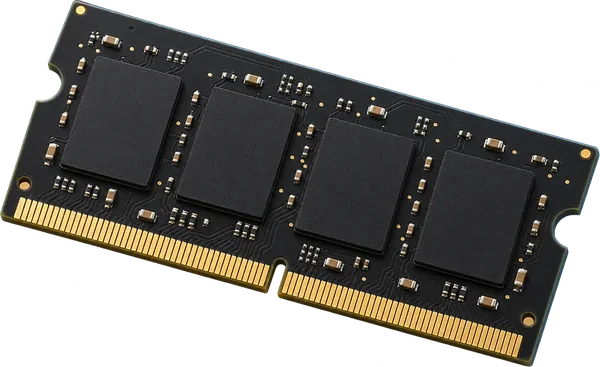
Yes. 2 slots, up to 16 GB seen working. It takes DDR4-2133 laptop-size sticks (SO-DIMM). The slots sit inside the case, behind the display, so fitting memory means opening it up. Apple lists it as a service upgrade.
What type of RAM does the Apple iMac (21.5-inch, 2017) use?
DDR4-2133 laptop-size sticks (SO-DIMM, 260-pin).
How much RAM can the Apple iMac (21.5-inch, 2017) take?
Machines in the reports run up to 16 GB, and one runs 32 GB. That matches the 16 GB maximum the firmware reports.
Is this my desktop?
On the Mac, choose Apple menu > About This Mac > System Report. The Model Identifier should read iMac18,1.
More in the Apple iMac
- iMac (21.5-inch, Mid 2011) (iMac12,1)
- iMac (27-inch, Mid 2011) (iMac12,2)
- iMac (20-inch and 24-inch, Mid 2007) (iMac7,1)
- iMac (20-inch and 24-inch, Early 2008) (iMac8,1)
- iMac (21.5-inch and 27-inch, Late 2009) (iMac10,1)
- iMac (20-inch and 24-inch, Early and Mid 2009) (iMac9,1)
- iMac (27-inch, Late 2013) (iMac14,2)
- iMac (21.5-inch, Late 2013) (iMac14,1)
- iMac (Retina 5K, 27-inch, 2017) (iMac18,3)
- iMac (21.5-inch, Mid 2010) (iMac11,2)
- iMac (Retina 4K, 21.5-inch, 2017) (iMac18,2)
- iMac (27-inch, Mid 2010) (iMac11,3)